Gravity Runner Quest
Reviews
Gravity Runner Quest offers a refreshing twist on the classic obstacle course genre. The gravity switching mechanic is intuitive yet challenging, requiring precise timing to avoid hazards. Each level features stars to collect, adding a layer of replayability. The game is free, runs smoothly in a browser, and is perfect for short gaming sessions. Its simple design makes it accessible for all ages.
About this game
Game Introduction
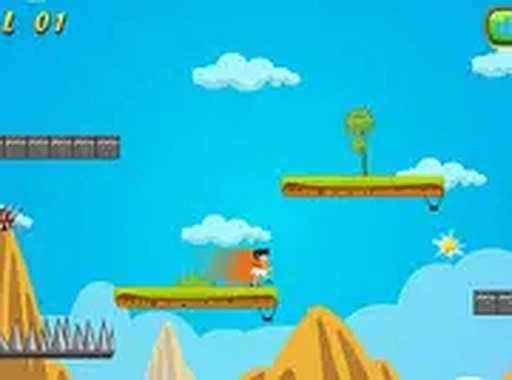
Gravity Runner Quest is an online arcade game where players guide a character through a series of levels filled with obstacles. The core mechanic is gravity switching: players can change the direction their character falls, allowing them to avoid spikes, blocks, and gaps. The game is designed for desktop play and runs directly in a web browser. It is free to play and includes a full screen mode for a more focused experience. Each level contains stars to collect, and the goal is to reach the end without hitting obstacles. The game is suitable for players of all ages and offers a simple yet challenging experience that tests timing and reflexes.
How to Play
To play Gravity Runner Quest, use your keyboard or mouse. Press the up arrow key to switch gravity upward, and press the down arrow key to switch gravity downward. Time your gravity switches carefully to avoid obstacles such as spikes, blocks, and gaps. Collect stars scattered throughout each level to increase your score. Complete the level by reaching the end without hitting obstacles. Try to finish with three stars by collecting all stars and avoiding mistakes. The game works best with a keyboard, but mouse controls are also available for those who prefer them.
Game Features
Gravity Runner Quest includes gravity switching mechanics that add a fresh twist to classic obstacle running. Each level contains stars to collect, encouraging players to explore and perfect their path. The game features challenging obstacle courses with spikes, blocks, and gaps that require precise timing. A full screen mode is available for immersive play. The game is free to play in a browser and is designed for desktop use with keyboard or mouse controls. It is great for short gaming sessions and helps improve timing and reflexes.
Tips for Success
Practice the timing of your gravity switches to navigate obstacles smoothly. Focus on collecting all stars in a level, as this will help you achieve a perfect score. Take your time to observe the layout of each level before making your moves. Regular practice will improve your reflexes and make later levels easier to complete.