Gravity Runner: Puzzle Adventure

Gravity Runner: Puzzle Adventure

Developer: Frontier Wanderer Games
Published: 2024-10-04
Updated: 2026-07-04
Adventure Puzzle

Reviews

Gravity Runner: Puzzle Adventure offers a fresh take on obstacle running with its gravity-switching mechanic. The controls are easy to learn, but the levels require precise timing and practice. Collecting stars adds replay value, and the full screen mode enhances focus. It is a great choice for quick gaming sessions.

About this game

Game Introduction

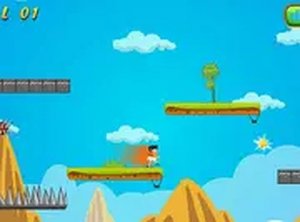
Gravity Runner: Puzzle Adventure is an online arcade game where players guide a character through a series of levels filled with obstacles. The core mechanic is gravity switching: players can change the direction their character falls, allowing them to avoid spikes, blocks, and gaps. The game is designed for desktop play and runs directly in a web browser. It is free to play and includes a full screen mode for a more focused experience. Each level contains stars to collect, and the goal is to reach the end without hitting obstacles. The game is suitable for players of all ages and offers a simple yet challenging experience that tests timing and reflexes.

How to Play

To play Gravity Runner: Puzzle Adventure, use your keyboard or mouse. Press the up arrow key to switch gravity upward, and press the down arrow key to switch gravity downward. Time your gravity switches carefully to avoid obstacles such as spikes, blocks, and gaps. Collect stars scattered throughout each level to increase your score. Complete the level by reaching the end without hitting obstacles. Try to finish with three stars by collecting all stars and avoiding mistakes. The game works best with a keyboard, but mouse controls are also available for those who prefer them.

Game Features

Gravity Runner: Puzzle Adventure includes gravity switching mechanics that add a fresh twist to classic obstacle running. Each level contains stars to collect, encouraging players to explore and perfect their path. The game features challenging obstacle courses with spikes, blocks, and gaps that require precise timing. A full screen mode is available for immersive play. The game is free to play in a browser and is designed for desktop use with keyboard or mouse controls. It is great for short gaming sessions and helps improve timing and reflexes.

Tips for Success

Practice the timing of your gravity switches to navigate obstacles smoothly. Focus on collecting all stars in a level, as this will help you achieve a perfect score. Take your time to observe the layout of each level before making your moves. Regular practice will improve your reflexes and make later levels easier to complete.


Compatibility

This H5 game runs smoothly on:
• Desktop computers (Windows / Mac) • Mobile phones (iPhone / Android)
• Tablets (iPad / Android)
🌐 Best experienced with Chrome, Safari, or Edge
Advertisement

Faq

Is Gravity Runner: Puzzle Adventure available on mobile devices?
The game is designed for desktop play and runs in a web browser. It may not be optimized for mobile screens or touch controls. For the best experience, play on a computer with a keyboard or mouse.
Do I need to download any software to play Gravity Runner: Puzzle Adventure?
No download is required. The game runs directly in your web browser, making it easy to start playing instantly. Just visit the game page and begin your adventure.
How many levels are in Gravity Runner: Puzzle Adventure?
The exact number of levels is not specified, but the game offers a series of progressively challenging obstacle courses. Each level introduces new layouts and requires careful timing to complete.
Can I play Gravity Runner: Puzzle Adventure with a friend?
The game is designed for single-player experience. There is no multiplayer mode mentioned. You can enjoy it solo, focusing on improving your own timing and reflexes.
What happens if I hit an obstacle in Gravity Runner: Puzzle Adventure?
If you hit an obstacle such as a spike, block, or gap, you will need to restart the level. The game encourages careful timing and practice to avoid mistakes and reach the end safely.
Is there a way to save my progress in Gravity Runner: Puzzle Adventure?
The game runs in a browser and may not include a save feature. Progress is typically reset when you close the browser. However, you can replay levels to improve your score and collect stars.

Similiar Product

Perfect Aim Online: Precision Puzzle

Casual Puzzle Strategy

A fun, family-friendly puzzle game that rewards careful planning and precise aiming. Great for all ages.

PLAY NOW

Island Breakout Strategy Quest

Action Strategy Adventure

A clever blend of strategy and adventure with superpowers that makes each escape attempt fresh and exciting.

PLAY NOW

KOGAMA Puzzle Day Family Game

family-friendly puzzle online

KOGAMA Puzzle Day offers cheerful, safe puzzles for all ages. Great for family fun and cognitive skill development.

PLAY NOW

Brave Escapers Action Game

Action Adventure Arcade

A fun, endless action game with simple controls and colorful graphics. Great for quick play sessions.

PLAY NOW

Team Ninja Storm Adventure Game

Action Retro Teamwork

Team Ninja Storm Adventure Game offers fun, family-friendly action with customizable controls and a positive teamwork theme.

PLAY NOW

Feathered Journey Arcade Game

Adventure Arcade

A charming, family-friendly arcade game that tests reflexes with simple controls and colorful visuals.

PLAY NOW

Fruit Spin Match Puzzle

Clicker Puzzle

A charming fruit matching puzzle with relaxing spins, wild symbols, and free bonuses. Perfect for all ages.

PLAY NOW

Festive Candy Match 3 Puzzle

Puzzle Match 3 Casual

A delightful holiday match-3 puzzle with charming graphics and relaxing gameplay for all ages.

PLAY NOW

Iron Guardian 2: Enhanced Edition

action strategy adventure

A fun browser action game with steady progression and upgrade options. Great for quick sessions.

PLAY NOW