Game Introduction
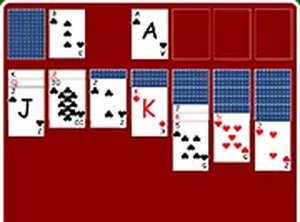
Classic Solitaire Online Card Game is a digital version of the traditional solitaire card game that has been enjoyed for generations. The core objective is to arrange all cards onto foundation piles in ascending order by suit, starting with Ace and ending with King. On the tableau, you build stacks in descending order while alternating colors. This game offers multiple difficulty levels, allowing both beginners and experienced players to enjoy a tailored challenge. It runs directly in your browser with no downloads or installations required. Its clean interface and smooth drag-and-drop controls make it easy to play on desktop computers. Whether you have a few minutes or an hour, Classic Solitaire provides a relaxing yet mentally stimulating experience.
How to Play
To play Classic Solitaire Online Card Game, use your mouse to drag and drop cards onto the tableau. Build stacks in descending order with alternating colors. For example, you can place a black 7 on a red 8. Move cards between columns to reveal hidden cards and create empty spaces. Empty columns can only be filled with a King or a sequence starting with a King. Use the stock pile to draw new cards when you have no more moves on the tableau. The goal is to move all cards to the foundation piles in ascending order by suit. Start each foundation with an Ace and build up to King. You can choose from different difficulty levels to adjust the challenge. The game includes an undo button to reverse your last move and a hint button to suggest a possible move.
Game Features
Classic solitaire gameplay with multiple difficulty levels. Clean and intuitive drag-and-drop controls. Undo and hint features to help you learn. Full screen mode for an immersive experience. Free to play with no downloads or registration. Works directly in your browser on desktop computers. Suitable for players of all ages and skill levels.
Tips for Success
To succeed in Classic Solitaire, focus on revealing hidden cards early by moving cards from larger stacks. Prioritize creating empty columns, as they give you more flexibility. Use the undo feature to explore different moves without penalty. Pay attention to the suit order when building foundation piles. Practice regularly to improve your strategy and speed. If you get stuck, use the hint button to discover possible moves.